
Open, snoozed, and resolved: managing your queue
On this page
Every conversation in AcornReply has a status that decides whether it's in front of you or out of the way. Getting comfortable with the three main states — and how conversations move between them — is the key to a calm inbox.
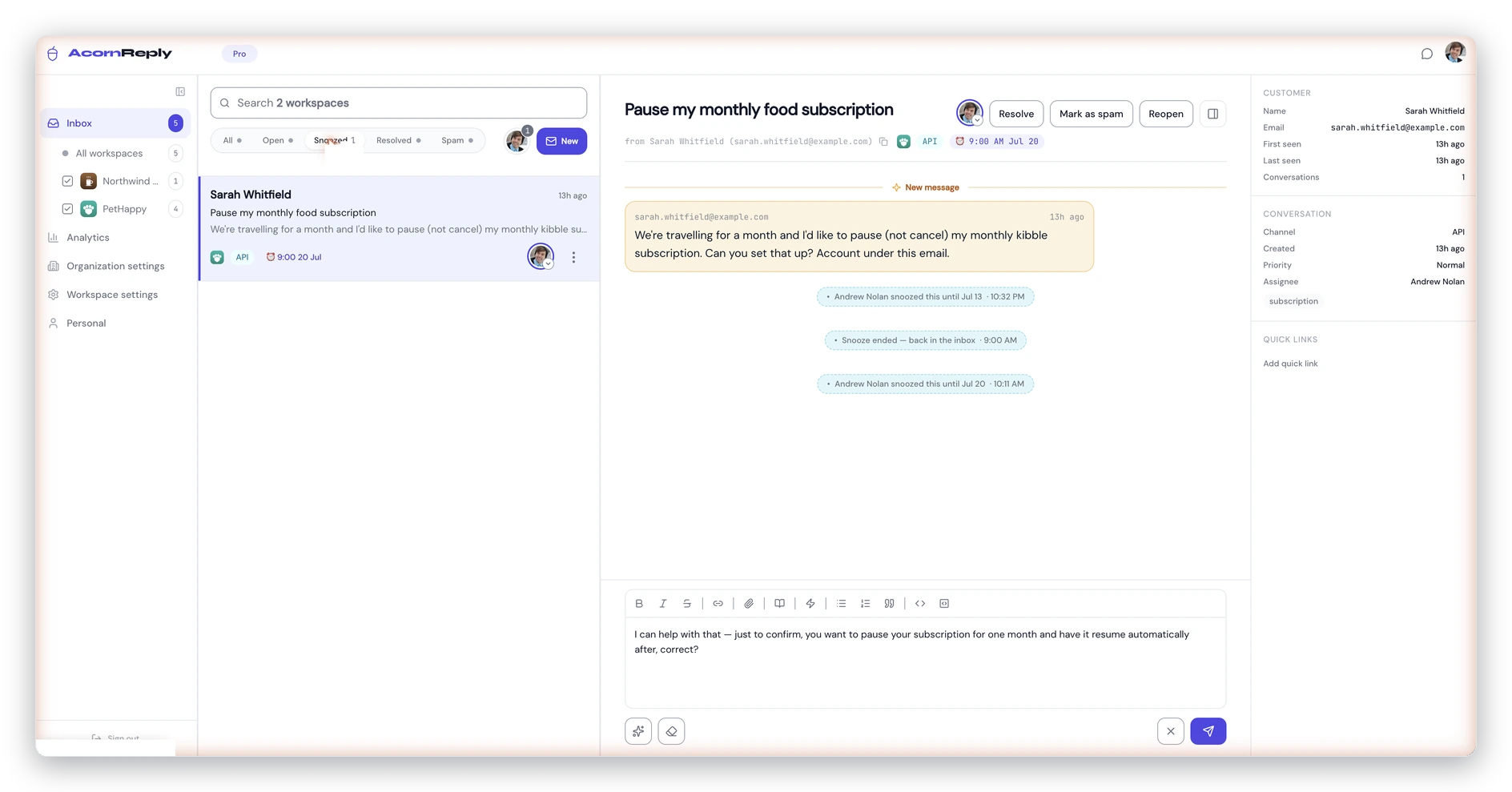
The status tabs at the top of the inbox, with a snoozed conversation showing its full snooze-and-wake history.
The states
- Open — the default working state. New conversations arrive here, and it's where your active work lives.
- Snoozed — hidden until a time you choose, or until the customer replies. Use it for "waiting on them" or "deal with this tomorrow."
- Resolved — done. The thread is locked and out of your list, but never deleted — you can reopen it any time.
There's also Spam for filtered junk, which you can recover with Not spam if something lands there by mistake.
Snoozing
Snooze a conversation to make it disappear until it's actually actionable. Pick a preset — Later today, Tomorrow, or Next week — and it drops out of your Open list until then. Two things bring it back automatically:
- The snooze time arrives. It wakes on its own and returns to the top of your inbox.
- The customer replies. A new inbound message wakes it immediately, no matter when you'd scheduled it for.
When a snoozed conversation wakes, it's flagged with a "Reopened" marker so you can spot what came back. That marker clears once you open it.
Resolving and reopening
Resolve a conversation when you're finished with it. The reply box is replaced with a simple Reopen card, so nothing is sent by accident on a closed thread. If you need it again, reopen it — and if the customer writes back, it reopens automatically and returns to your queue. Nothing a customer says ever gets lost because a thread was closed.
Finding things by state
The tabs at the top of the inbox — Open, Snoozed, Resolved, Spam, All — filter the list to one state, each with a live count. Search respects the active tab, so switch to All when you want to look across every status at once.
Tip: on a phone, swipe a conversation right to snooze and left to resolve — the fastest way to clear your queue on the go.